
REALM CATCHER
Realm catcher is an exciting and endless hypercasual game where you must catch different types of treasures and avoid the wrong objects!
Be the collector of treasure and avoid missing out on them as well as picking the wrong objects before your gameplay is cut short due to no lives.
Use your tactics and motor skills to guide the basket to the correct objects and try to survive for as long as possible because the difficulty and reward will increase with time.
I closely collaborated with the developer to design, document, prototype, and implement critical features and game content under strict constraints and deadlines.
-
Engine: Unity
-
Team: 2
-
Role: Game Designer, Level Designer
-
Duration: 1 month
-
Release: Playstore
OVERVIEW
The project aimed to create a time-constrained and infinitely-based 2D hyper-casual game. As the player progresses, the game becomes increasingly challenging, encouraging the pursuit of high scores.
DESIGN PILLARS
-
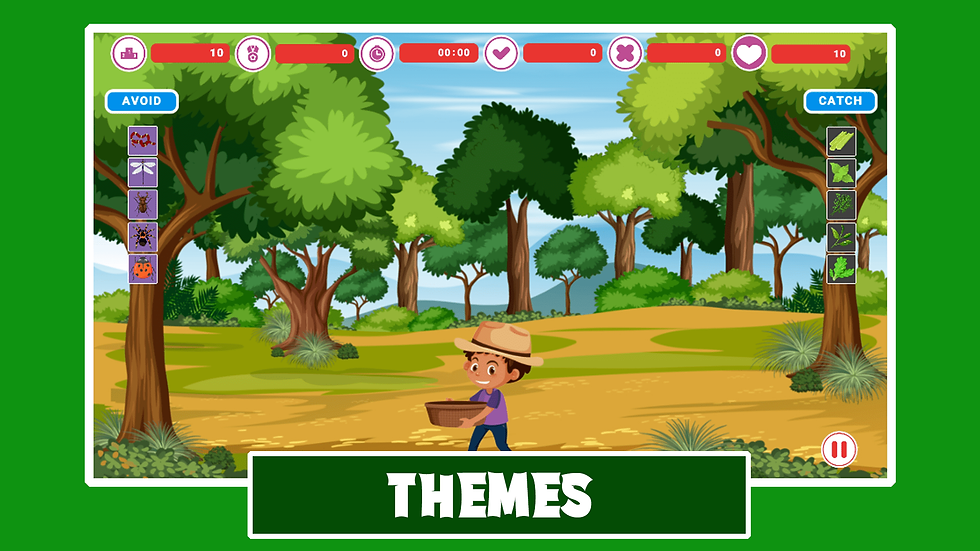
Maintaining a consistent core mechanic across all levels, with the distinction lying in the unique theme of each level.
-
Ensuring the game provides detailed statistics at the end, offering a breakdown of all collected and missed objects.
-
Implementing a progressive increase in level and object spawning speed, intensifying the challenge as time progresses.



INSPIRATIONS AND RESEARCH
-
The game took inspiration from popular hyper-casual titles like 'Temple Run', 'Subway Surfers', 'Fruit Ninja', and similar games known for ramping up difficulty and speed over time.
-
The game's narrative follows a cowboy embarking on a journey through different realms to gather treasures for his homeland, drawing parallels to games like 'Catch the Fruit'.
-
All graphics used were sourced from royalty-free repositories like the Unity Asset Store or Freepik.
-
The user interface (UI) layout took cues from games like 'Candy Crush', ensuring that the HUD occupies the top portion of the screen without impeding gameplay.


HIGHLIGHTS
TUTORIAL
-
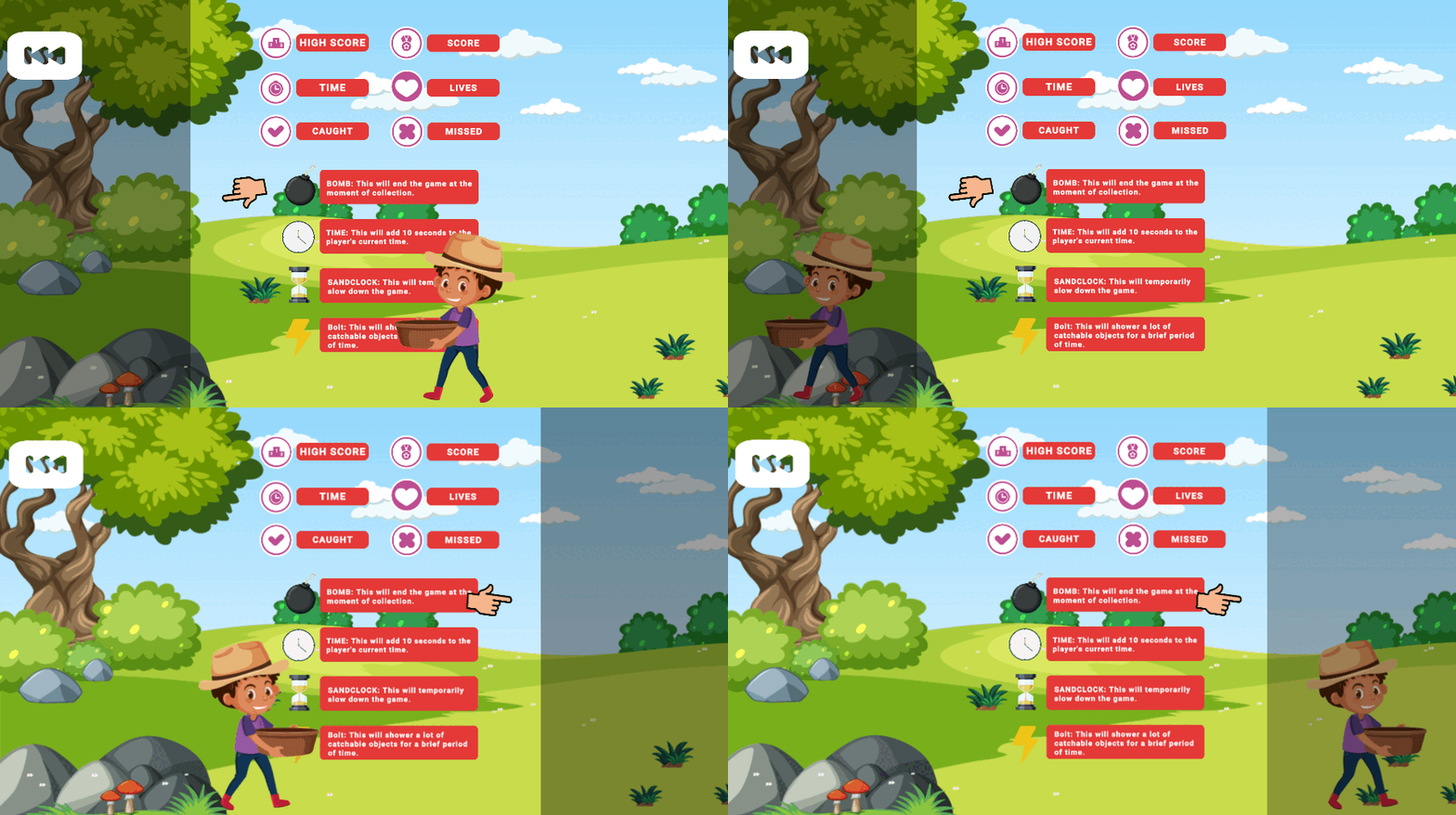
Tutorial Screen Layout: The tutorial screen features a central display showcasing all in-game icons along with their corresponding meanings, providing players with a comprehensive understanding of gameplay elements.
-
Interactive Touch Screen Animation: On the left and right sides of the screen, dynamic touch screen animations are presented, mimicking user interaction. These animations offer a visual guide to players on how to navigate and interact with the game's interface.
-
Character Movement Illustration: As players engage with the touch screen animations, the character avatar dynamically responds by moving across the screen, demonstrating the effect of player inputs on in-game actions.
-
Gesture Recognition Feedback: Accompanying the touch screen animations is responsive feedback, indicating successful recognition of touch gestures. This feedback reinforces player actions, enhancing the tutorial's effectiveness in teaching gameplay mechanics.
-
Enhanced User Guidance: Through a combination of visual cues, interactive elements, and character movement, the tutorial screen provides an immersive and intuitive learning experience, ensuring that players grasp essential concepts while being actively engaged in the process.
LEVEL DESIGN
-
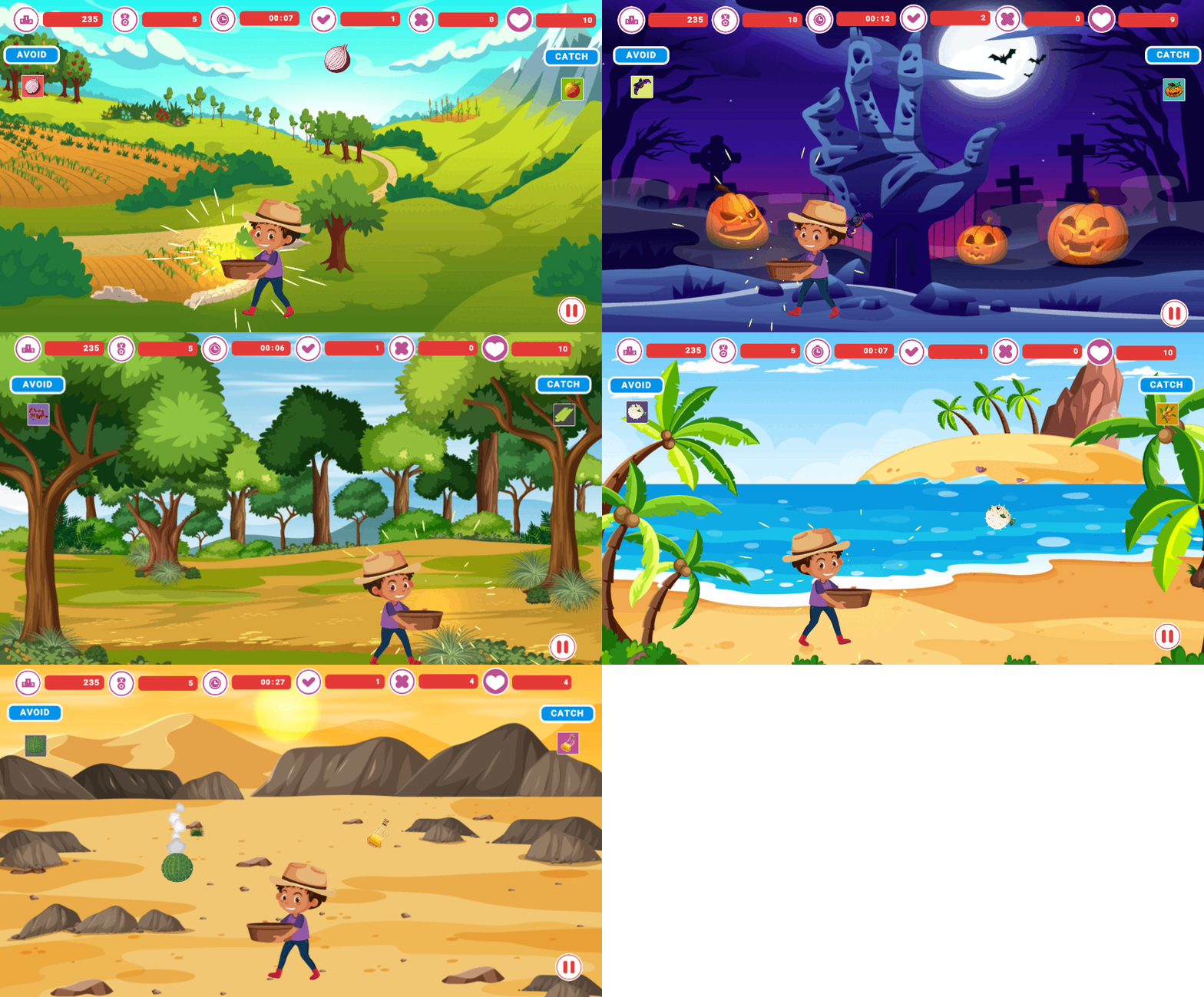
Diverse Themes: Each of the five levels features a unique theme, offering players a varied and immersive experience as they progress through the game. These themes are reflected in the level backgrounds, objects to catch, and accompanying background music, enhancing the overall atmosphere and engagement.
-
Object Interaction: Within each level, players encounter different objects to catch and avoid. The left side of the screen displays images of objects to avoid, while the right side showcases objects to catch. This layout provides players with clear visual cues and reinforces gameplay mechanics, promoting intuitive gameplay.
-
Dynamic Challenge Scaling: As the game progresses, the difficulty increases dynamically. Successive images appear in both categories after a certain time, speeding up gameplay and presenting players with greater challenges. This gradual escalation keeps players engaged and provides a sense of progression and accomplishment.
-
HUD Integration: The top part of the screen features a Heads-Up Display (HUD) that provides essential information to players. This includes the high score, remaining time, available lives, as well as indicators for correctly and incorrectly collected objects. The HUD enhances player feedback and awareness, facilitating strategic decision-making and goal-oriented gameplay.
-
Power-Ups and Hazards: Throughout the levels, players encounter power-ups such as time-slowing effects or bonus points, adding strategic depth and opportunities for score optimization. However, players must also navigate hazards, such as bombs that instantly end the game if collected. This introduces risk-reward dynamics and encourages players to make tactical decisions while maintaining focus and precision.
-
Game Over Conditions: The game incorporates multiple fail states to challenge players and maintain tension. If the player collects too many avoiding objects or fails to catch a sufficient number of required objects, the game ends. This incentivizes accuracy and skillful gameplay while providing clear feedback on performance.
STATISTICS
-
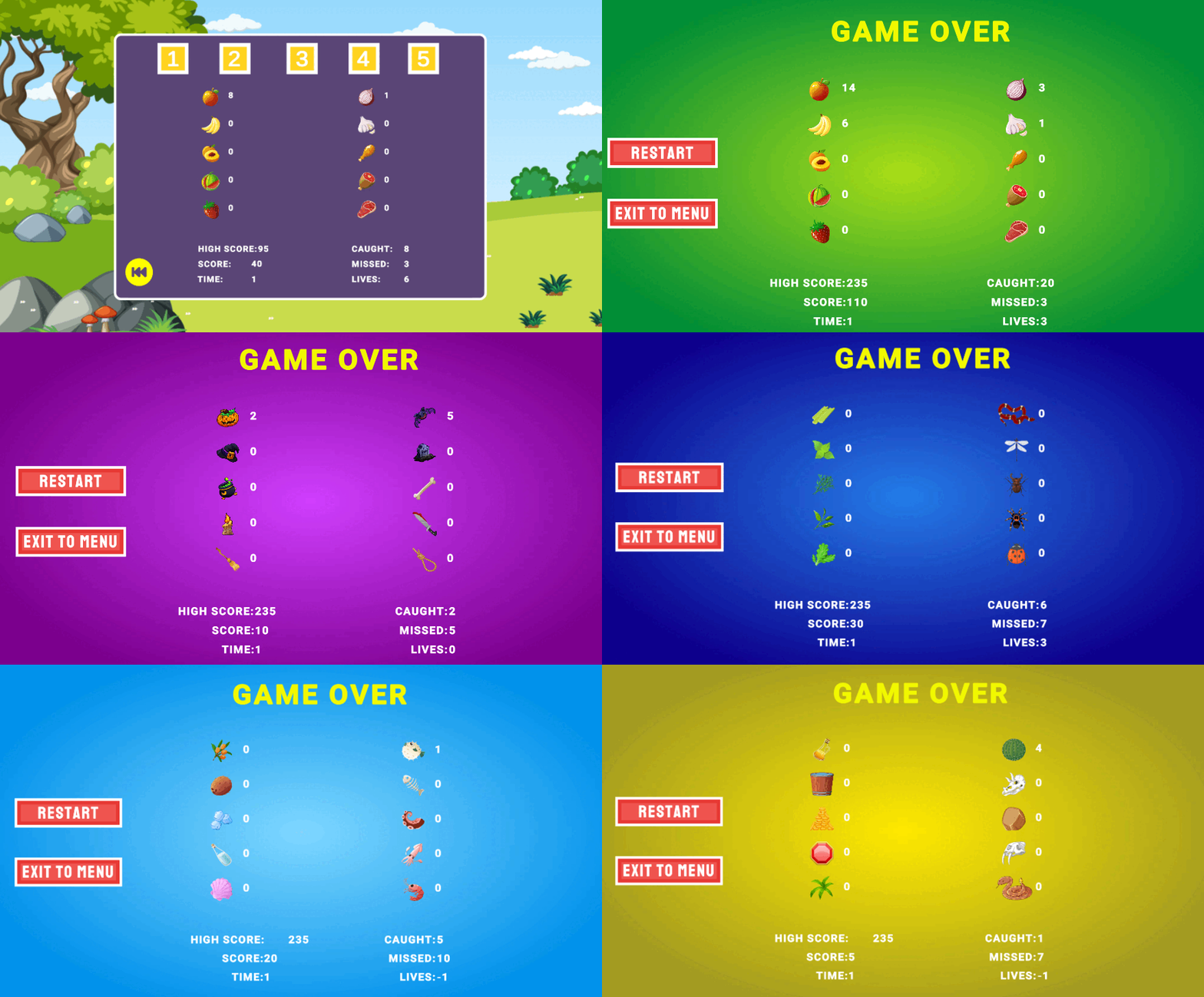
Post-Game Analysis: The stats screen appears upon the game's completion, offering players a comprehensive overview of their performance. It displays the exact number of objects caught and avoided, providing concrete feedback on player achievements and areas for improvement.
-
Detailed Performance Metrics: Players can see the specific counts of both caught and avoided icons, allowing them to assess their proficiency in each aspect of gameplay. For example, the screen may indicate how many of object X the player caught or how many of object Y they successfully avoided. This level of detail helps players understand their strengths and weaknesses, fostering skill development and strategy refinement.
-
Score Tracking: The stats screen prominently showcases the high score, current score, remaining time, objects caught and missed, and available lives. This comprehensive display enables players to track their progress, compare performances, and set new goals for future playthroughs.
-
Accessibility: In addition to appearing after each game over, the stats screen can also be accessed individually for each level from the main menu. This accessibility allows players to review their performance at any time, promoting reflection and continuous improvement.
-
Dynamic High Score Update: The high score updates only when the player achieves a new personal best, ensuring that each accomplishment is celebrated and motivating players to strive for improvement. This design choice encourages replayability and engagement by providing clear objectives and benchmarks for success.
-
Player Feedback and Improvement: The inclusion of the stats menu serves as a valuable tool for player self-assessment and improvement. By allowing players to reflect on their performance and identify areas for growth, the stats screen empowers them to refine their skills and strive for better results in subsequent gameplay sessions. Ultimately, this feature enhances the overall player experience by promoting a sense of accomplishment and progression.